1、首先Win+R打开"运行界面",输入CMD,点击"确定",如图所示:
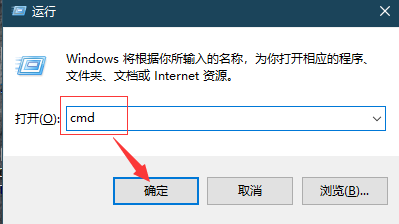
2、命令提示符输入ping steamcommunity.com回车,复制如图所示IP地址

3、之后打开C:\Windows\System32\drivers\etc文件夹,找到hosts文件

4、选择hosts文件-->打开方式-->记事本

5、在结尾处输入(ip地址为之前复制的ip):
31.13.79.1 valve.vo.llnwd.net
31.13.79.1 cdn.steampowered.com
31.13.79.1 cdn.store.steampowered.com
31.13.79.1 cdn.steamcommunity.com
31.13.79.1 media.steampowered.com
之后Ctrl+s保存即可

6、最后重新打开steam即可,如图所示:

1、Win+R打开"运行界面",输入CMD回车
2、输入ping steamcommunity.com回车,复制ip地址
3、打开C:\Windows\System32\drivers\etc文件夹,找到hosts文件
4、在结尾处输入(ip地址为之前复制的ip)
31.13.79.1 valve.vo.llnwd.net
31.13.79.1 cdn.steampowered.com
31.13.79.1 cdn.store.steampowered.com
31.13.79.1 cdn.steamcommunity.com
31.13.79.1 media.steampowered.com
,保存即可