1、编辑栏不见了,如图。
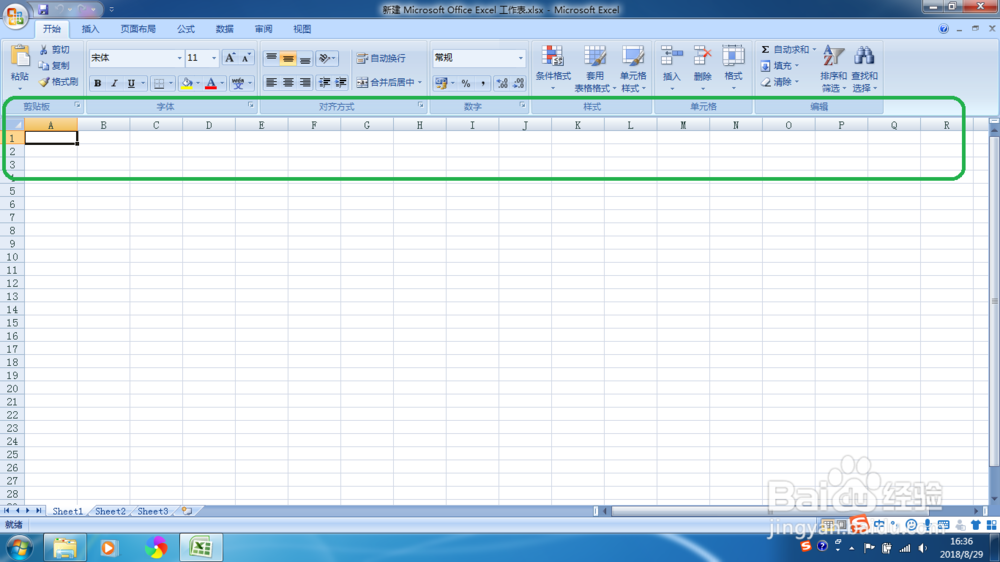
2、新建Excel 2007 文档,如图。
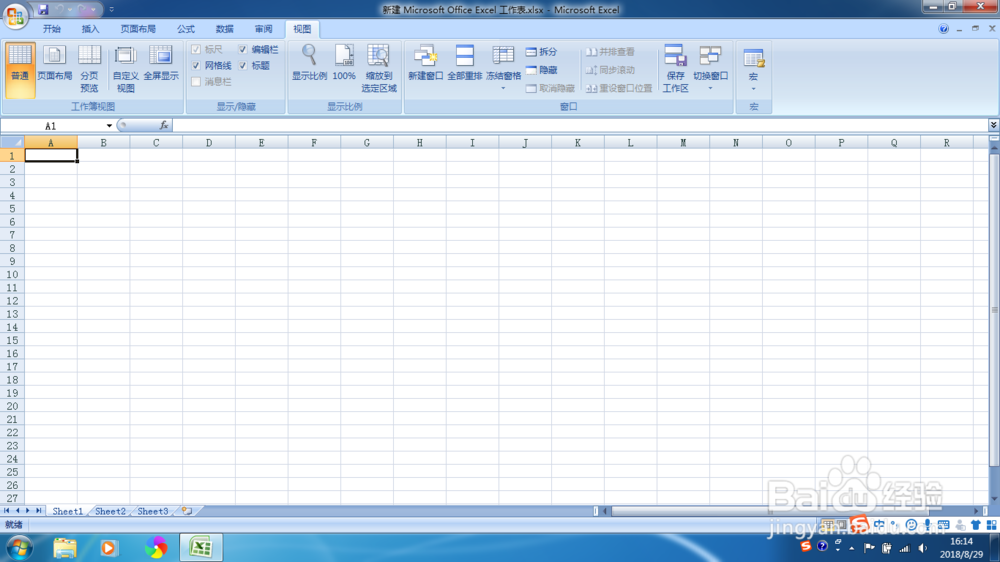
3、点击左上角的office按钮,在弹出的信息中,选择【Excel 选项】,如图。
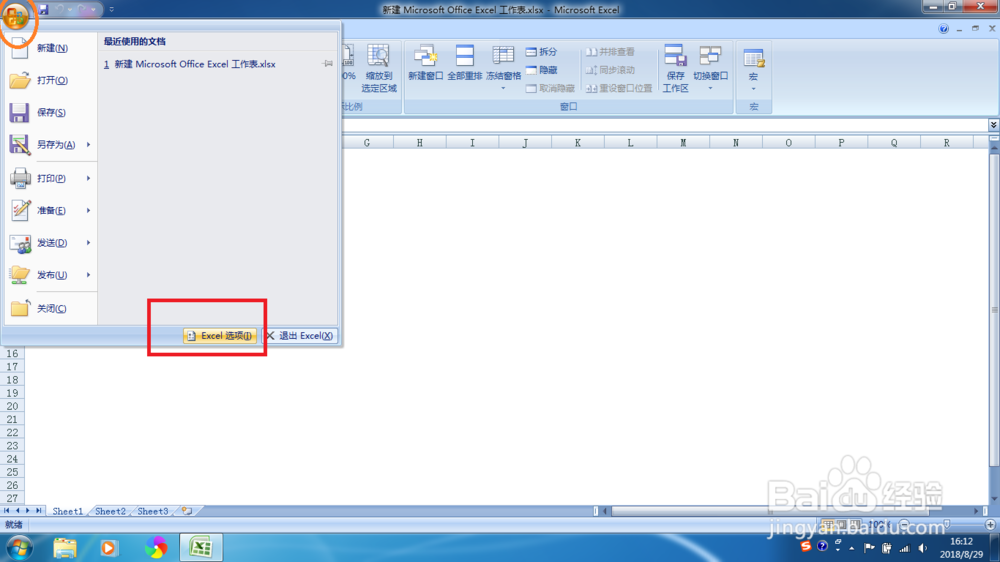
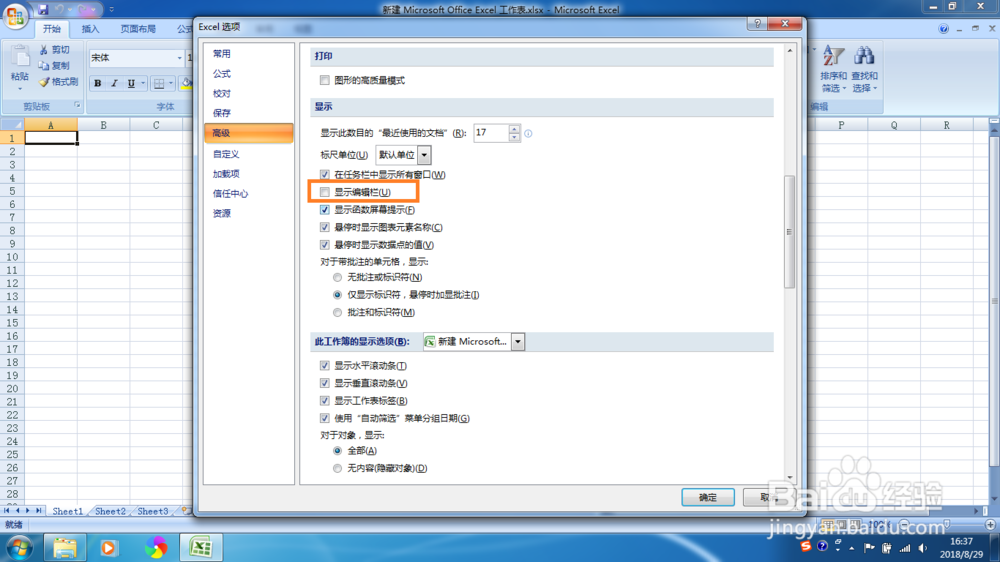
4、在弹出的界面,点击左侧的【高级】按钮,如图。
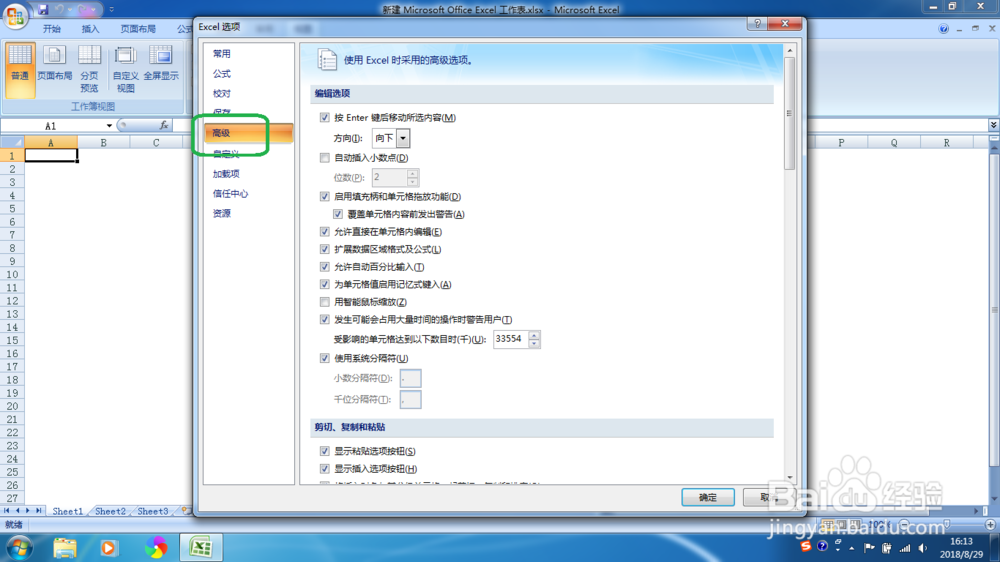
5、在右侧信息中,勾选显示编辑栏,如图。
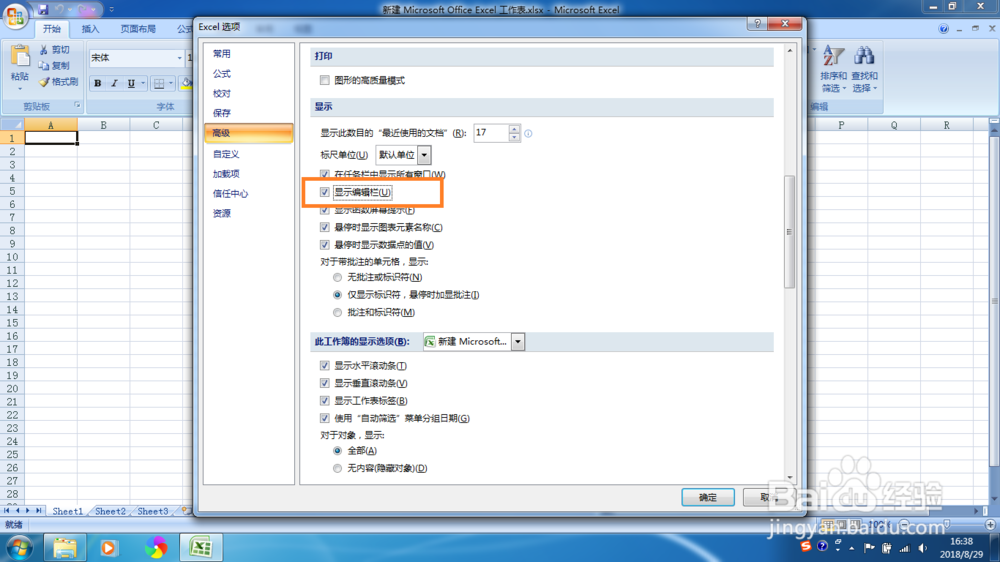
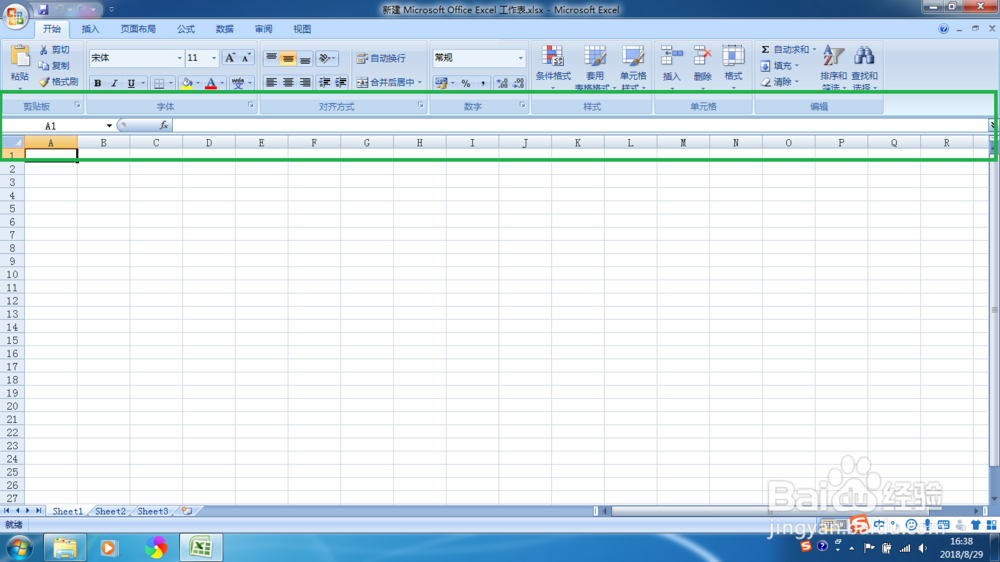
6、编辑栏可以看见了,如图。
1、编辑栏不见了,如图。
2、新建Excel 2007 文档,如图。
3、点击左上角的office按钮,在弹出的信息中,选择【Excel 选项】,如图。
4、在弹出的界面,点击左侧的【高级】按钮,如图。
5、在右侧信息中,勾选显示编辑栏,如图。
6、编辑栏可以看见了,如图。